Our subway system is the largest and busiest in North America. There are 472 stations on 25 routes, spread along 665 miles of track. The subway operates 24 hours a day, 7 days a week, 365 days a year.
Riding the subway is one of the easiest and most convenient ways to get around the city. For most riders, the subway fare is $2.90. Reduced fares are available for people 65 and older, people with disabilities, and low-income New Yorkers. Learn more about fares.
Before you go, check service status on our live subway map, which includes a filter for accessible stations.
Before you go
Download the MTA app for trip planning, maps, arrival times, real-time service status, station information, and more.
Paying the subway fare
Using OMNY
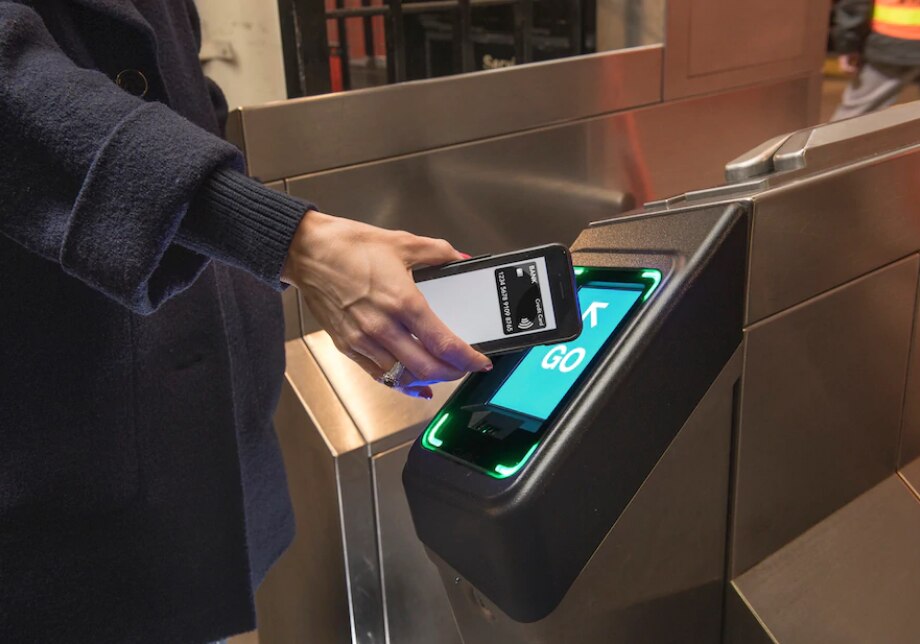
OMNY, our contactless fare payment system, is available at every subway station.
Tap your contactless credit or debit card, mobile device, or OMNY card at the OMNY reader on the turnstile. It doesn’t matter which way the card or device is facing. When the reader shows GO, proceed through the turnstile.
Using a MetroCard
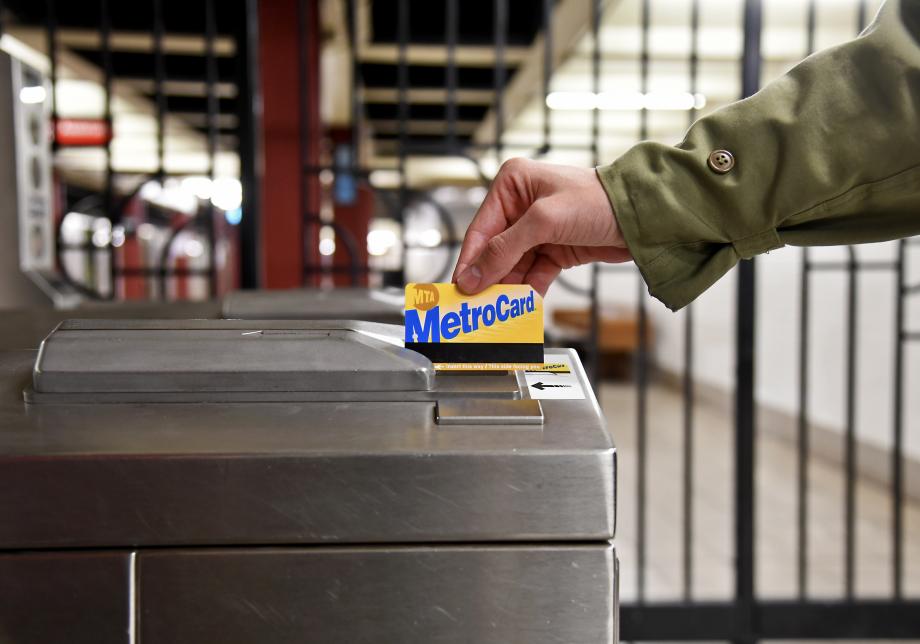
Hold the card so the black magnetic strip is facing you and on the bottom of the card. (The clipped corner should be on the upper right.) Swipe your card through the reader at a medium speed, similar to how you would swipe a credit card in a credit card reader. When the turnstile screen says GO, proceed through the turnstile.
Note: You cannot use an unlimited MetroCard within 18 minutes of swiping it.
Pay for multiple people: Up to four riders can use the same payment method. Tap OMNY or swipe a pay-per-ride MetroCard as each person enters.
At the subway station
Get the right train
Subways in New York are identified by their letters or numbers. Colors indicate which Manhattan "trunk line" a train serves. The trains run along 8th Avenue, for example. The colors do not indicate similar service. The and each run on 6th Avenue, but only share five stops in common.
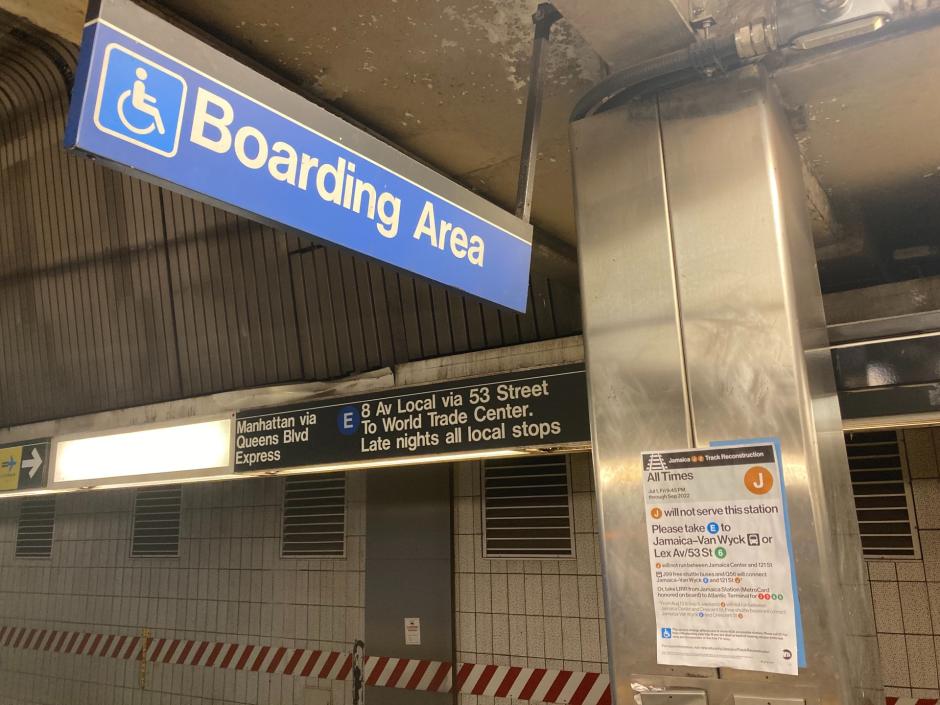
Know which train you're going to ride, and look for signs on the platform indicating where that train stops.
Watch for service notices, and listen for announcements in the station.
Go the right way
In Manhattan, "Downtown" means south and "Uptown" means north, so you will often see signs like "Uptown & The Bronx" or "Downtown & Brooklyn." The train itself will not say these things. Instead, when the train arrives, its destination will be indicated by signage along the side of the train.
Once you get on the train, announcements may sound different. A "Manhattan-bound" in Brooklyn still will go to the Bronx. It will become "Bronx-bound" once it gets to Manhattan, then "Woodlawn-Jerome Avenue-bound" in the Bronx.
Be safe in the station
Stand back from the platform edge, especially when trains are entering and leaving the station.
Don’t go onto the tracks for any reason. If you drop something on the tracks, leave it and let an MTA employee know. We’ll do our best to help retrieve it.
If there is no designated area, board at the center of the train when traveling with a personal mobility device or stroller. The conductor is usually at the center of the train, making it easier to get attention in case of problem.
If you need help, ask a station agent or use a blue Help Point intercom. Help Points have a red button for emergency use and a green button for information.
On the train
Boarding
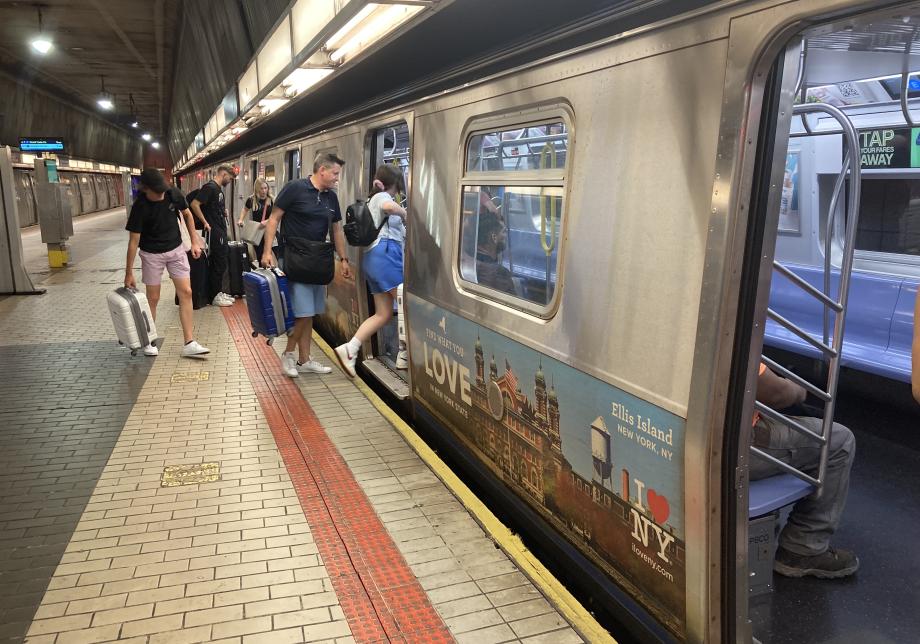
Let others exit the train before you board. Stand to the side of the doors before boarding, not in front of them.
Move to the center of the car. It makes service faster for everyone.
Don’t hold train doors open. It delays service for everyone.
On the train
Leave accessible seats open for people who need them.
Hold on when the train is moving.
Keep bags and personal items where you can see them.
Make room for others. Taking more than one seat is against subway rules.
Exiting trains and navigating stations
Be sure you have all your belongings with you. We do have a lost and found, but would rather not see you there.
Fold strollers and carry children on stairs and escalators. Use elevators when possible.
Ask any MTA employee for help when you need it. You can also use the Help Point intercom on station platforms.

What to do if...
…you need help planning a trip
Talk to an MTA employee, dial 511, use our trip planner, or download the MTA app.
...you drop something on the tracks
Never go onto subway tracks.
Go to the station agent for help. You will not have to pay another fare to re-enter the system.
…you miss your stop
Stay on the train until you reach a station where you can transfer to a train going in the opposite direction. Take that train back to the stop you missed.
If you need help, ask an MTA employee.
…you leave something behind
If you're still in the subway, go to a station agent for help.
If not, you can file a claim with the MTA Lost & Found. Here are step-by-step instructions for what to do if you lost a personal item on the subway.
If you lost a MetroCard, see our instructions specifically for that.
…you see a crime in progress
Tell an MTA employee or police officer, use a Help Point intercom, or call 911 immediately.
Read more about what to do if you see a hate crime.
Things you can and can’t bring on the subway
Don’t travel with more than you can carry on your own, and avoid rush hour if you’re transporting something big. Make space for other riders and don’t block doors, stairs, or passageways.
This is not a comprehensive list of what you are and are not allowed to bring on the subway. Find all details in our Rules of Conduct.
You can bring...
Personal mobility devices. Wheelchairs, canes, walkers, scooters and the like are allowed at all times.
Dogs and other animals. They must be in a bag or other container and carried in a way that doesn’t annoy other riders. Service animals and working animals with law enforcement agencies are allowed at all times.
Bikes. Avoid rush hour.
Strollers. Strollers are allowed as long as you’re using them to transport children.
Boxes, packages, and small furniture. Don’t transport large items during rush hour.
You can’t bring...
Motorcycles and other motorized vehicles. Personal mobility devices like motorized scooters are allowed, however.
Large wheeled carts. Carts that are larger than 30 inches in length or width are not allowed.
Anything that is so long it sticks out of a subway window or door.
Items that could be a hazard, interfere with MTA operations, or block traffic. Your safety is our biggest priority.
Accessible travel
On the subway
Read our guide to navigating trains and stations with mobility aids and other assistive tools.
With Access-A-Ride, our paratransit service
If you have a disability that prevents you from using the subway or bus, you might be eligible for our paratransit service.